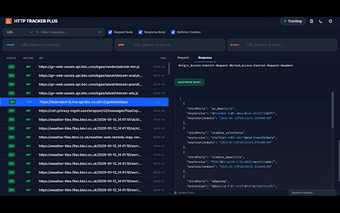
HTTP TRACKER PLUS: Centralized network debugger for Chrome
HTTP TRACKER PLUS, developed by Dedar Alam (devded), is a Chrome extension for centralized network debugging across browser sessions. The app captures and analyzes HTTP/HTTPS traffic in real time, letting users inspect headers, cookies, form data, and response bodies. It adds filtering, on-the-fly header modification, and JSON pretty-printing to aid API troubleshooting. The extension targets web developers, QA engineers, and security researchers who need precise, cross-tab request inspection during complex debugging tasks.
What is HTTP TRACKER PLUS used for?
The tool is a Chrome network debugger built to gather traffic across tabs and windows into a single interface, aimed at diagnosing redirect chains, header implementations, and API interactions. It is a high-performance fork of an earlier open-source project and is intended for web developers, QA engineers, and security researchers who need to trace requests spanning multiple pages without opening DevTools for every tab.
How does it behave under multi-tab load and normal browsing?
The extension runs asynchronously and is described as lightweight, so it does not add latency to normal browsing. By centralizing capture outside individual DevTools instances, the tool reduces context switching during multi-page investigations. Its architecture handles aggregation centrally rather than placing heavy analyzers in each tab, which limits processing burden and helps preserve page responsiveness during extended debugging sessions.
Does it respect user privacy and monitor Incognito sessions?
The developer designed the extension with a privacy-first stance and a strict no-data-collection policy; the extension does not collect or use user data and does not sell information to third parties. It is also able to capture and analyze traffic from Incognito windows, so private sessions appear in the same dashboard when granted the necessary permissions.
Can I modify requests and inspect response bodies for API debugging?
The tool supports on-the-fly request header modification and an advanced filtering system to include, exclude, or block specific URL patterns. It offers detailed inspection of cookies, form data, and headers and captures response bodies for selected requests using Chrome Debugger Mode. Key capabilities include:
- Header editing during live requests
- Response body capture with JSON pretty-printing
- Advanced filters for focused analysis
Best suited to technical users who need consolidated traffic analysis
HTTP TRACKER PLUS is a focused option for professionals who must investigate network behavior across many browser pages. Its origin as a high-performance fork and its recognition among developers position it as a practical upgrade for complex workflows. Casual browsers are unlikely to need this depth; use the extension during targeted debugging sessions to keep routine browsing uncluttered.